Login options
There are two ways to log in to the cloud:
- Using the QR code generated on the web interface (recommended)
- Using your web interface login credentials

1. Choose a location
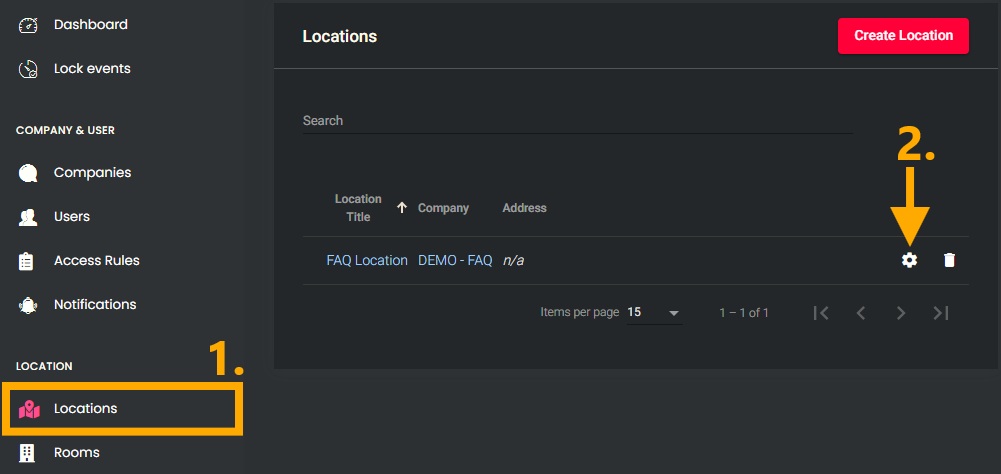
- In the left-hand menu, under the “LOCATION” section, open the “Locations” menu item.
- Click the gear icon next to the desired location to open the settings.

2. Encoder QR-Code
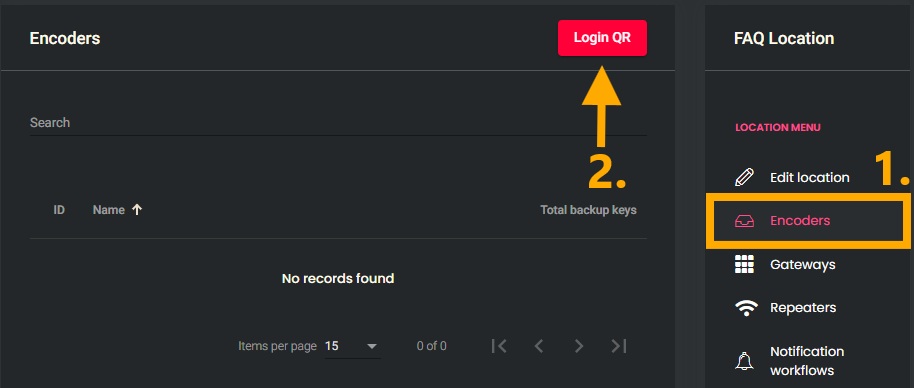
- In the “LOCATION MENU” on the right, select the “Encoders” menu item.
- Use the “Login QR” button to display the QR code for logging in.
IMPORTANT! The displayed QR code is only valid for 60 seconds! - Scan the QR code with the encoder before it expires.
If the code has already expired, you can generate a new code by pressing the button again.

3. Encoder Login
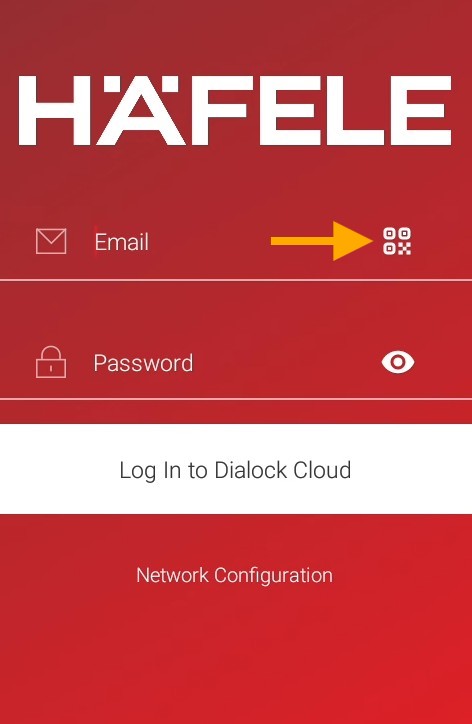
- Log in to the encoder using:
- the QR-Code
- your software login credentials

4. Optionally, adjust PMS settings
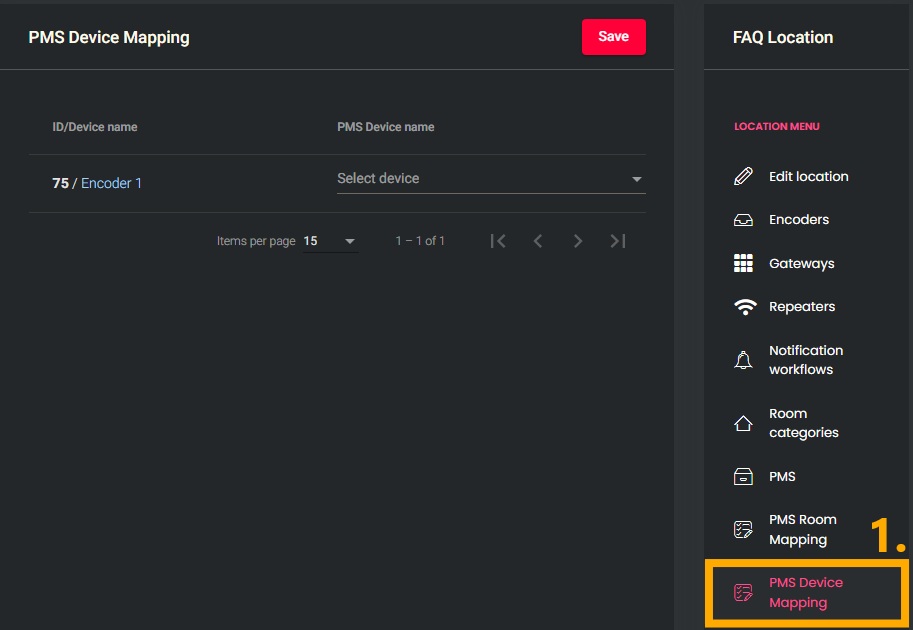
NOTE: This step is only necessary if a PMS is set up.
- In the “LOCATION MENU” on the right, select the “PMS Device Mapping” menu item.
- Assign the appropriate encoder from the PMS to the new encoder.
If no encoder is available for selection, the encoder must first be created in the respective PMS (MEWS, Apaleo, ...).

Logout
WARNING!
Before deleting the encoder, make sure that no partner system is using the encoder's ID. Once the encoder has been deleted, it is no longer possible to restore the original ID.
1. Choose a location
- In the left-hand menu, under the “LOCATION” section, open the “Locations” menu item.
- Click the gear icon next to the desired location to open the settings.
2. Delete encoder
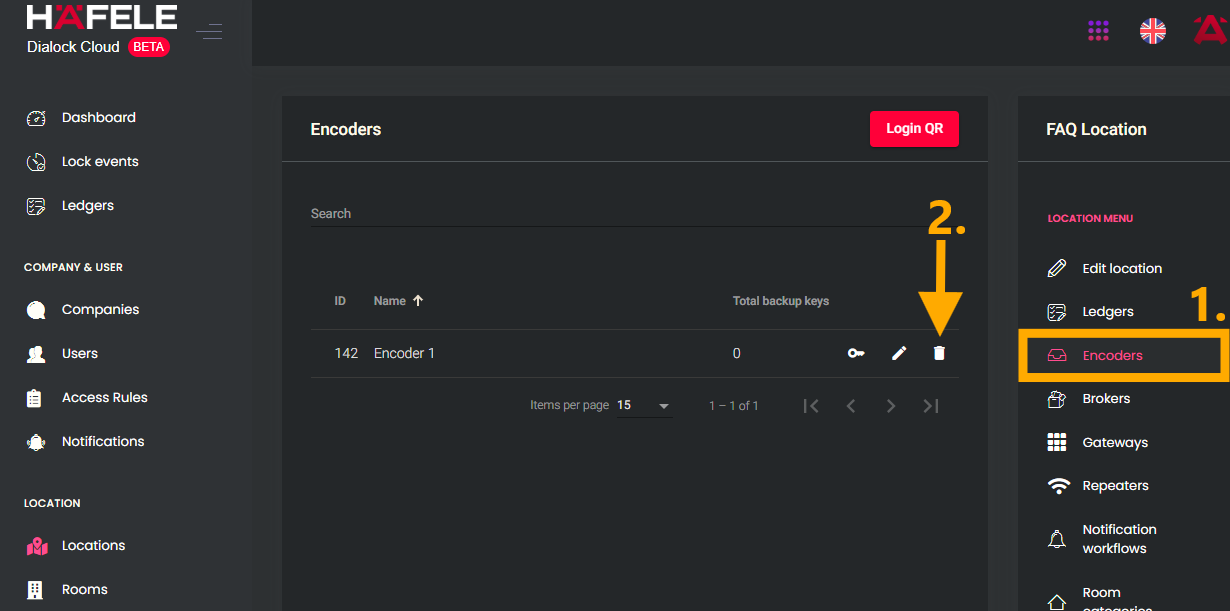
- In the “LOCATION MENU” on the right, select the “Encoders” menu item.
- Delete the encoder using the “Trash Can” button.
IMPORTANT! Deleting the encoder also deletes its ID. If the ID is stored in the PMS, this will interfere with the key generation!
