Rights Assignment
Access rights are granted through a combination of three components:
- Room/Door
- Role (group of users)
- Access Rule (privileges and time restrictions)
This allows a group of users to open a room or door during a specified time period, with any additional privileges that may have been assigned.
IMPORTANT! Access rights should always be assigned via rooms. Assignments via doors should be used exclusively for time restrictions on location guests.

Assignment by room
1. Navigation
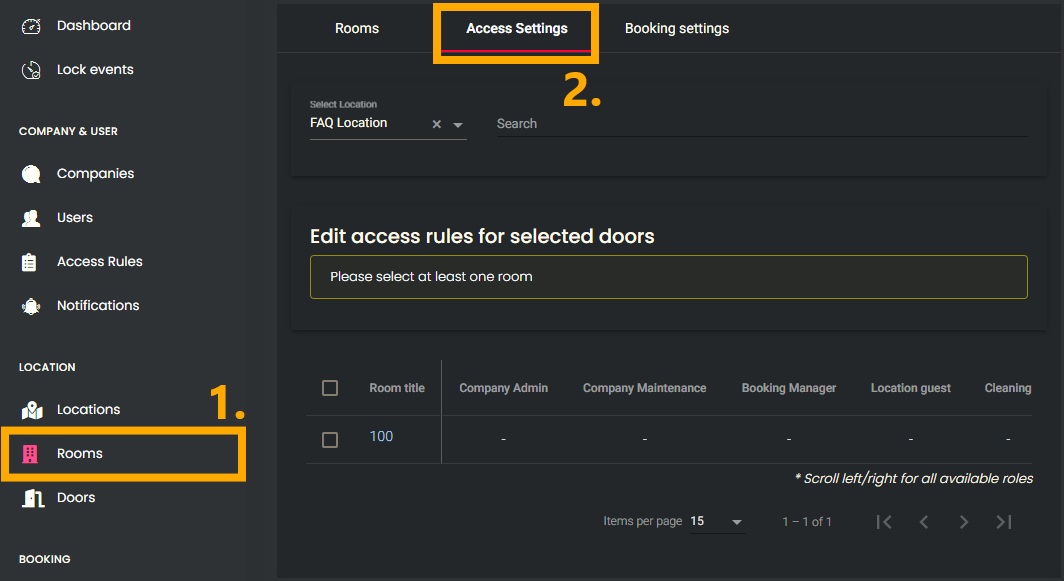
- In the left-hand menu, under the “LOCATION” section, open the “Rooms” menu item.
- Navigate to the “Access Settings” tab.

2. Assignment
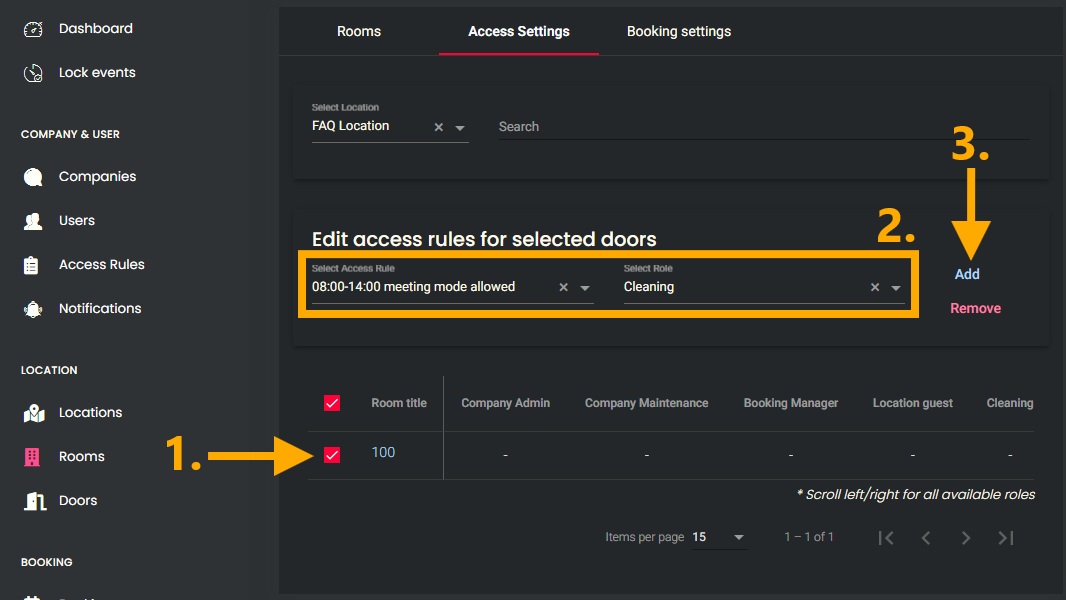
- Select the desired rooms.
- Select the corresponding “Access Rule” and “Role”.
- Use the “Add” button to assign the selected permissions.

Assignment by doors
1. Navigation
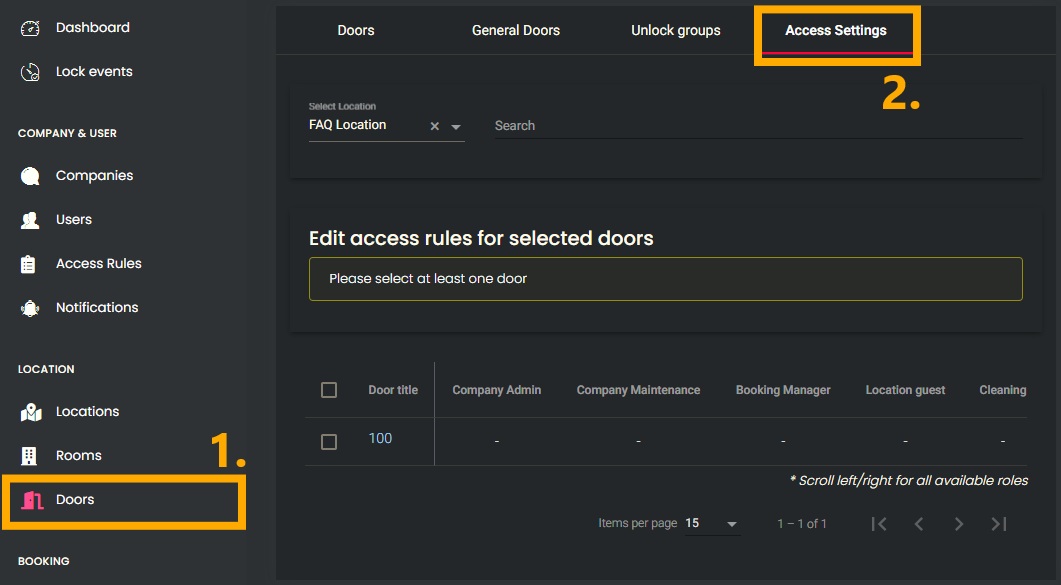
- In the left-hand menu, under the “LOCATION” section, open the “Doors” menu item.
- Navigate to the “Access Settings” tab.

2. Assignment
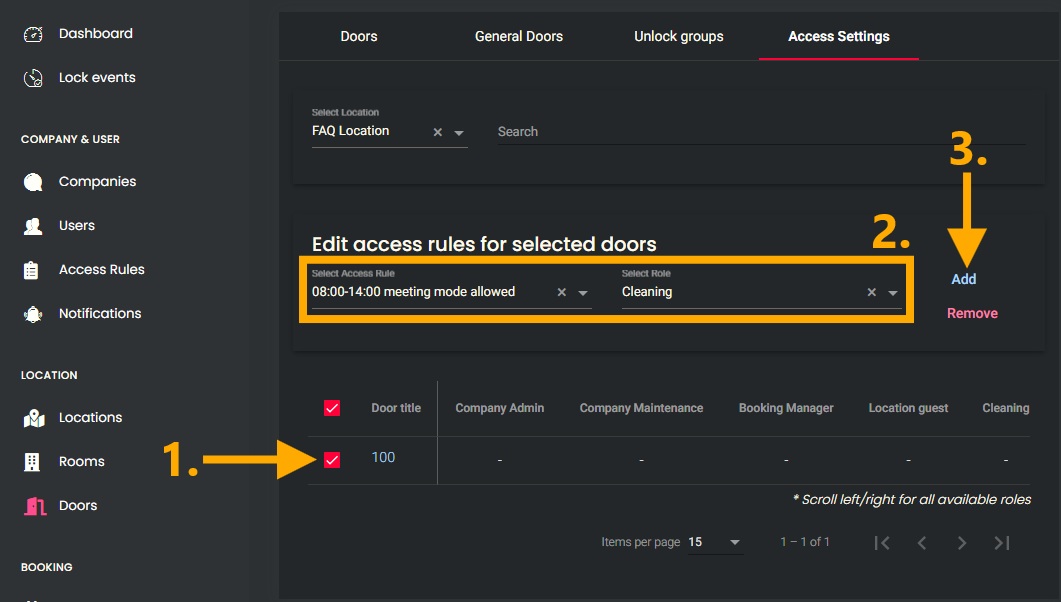
- Select the desired doors.
- Select the corresponding “Access Rule” and “Role”.
- Use the “Add” button to assign the selected permissions.
