Instructions
IMPORTANT! Currently, only keys using “Mifare Desfire EV3” technology are supported.
You can tell if a key is supported by checking that the text on the back begins with “Ä DC”.
For example: “Ä DC09/26/I/MD Häfele SE & Co KG”
1. Select a user
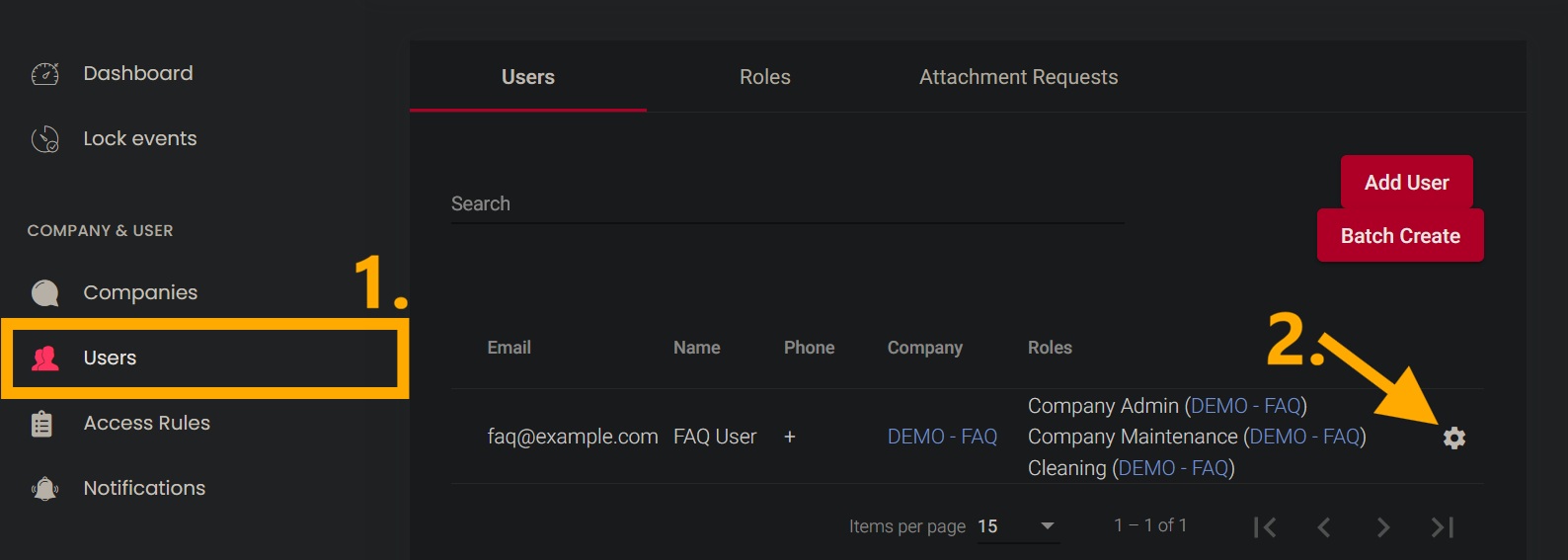
- In the left-hand menu, under the “COMPANY & USER” section, open the “Users” menu item.
- Click the gear icon next to the desired user to open the settings.

2. NFC cards
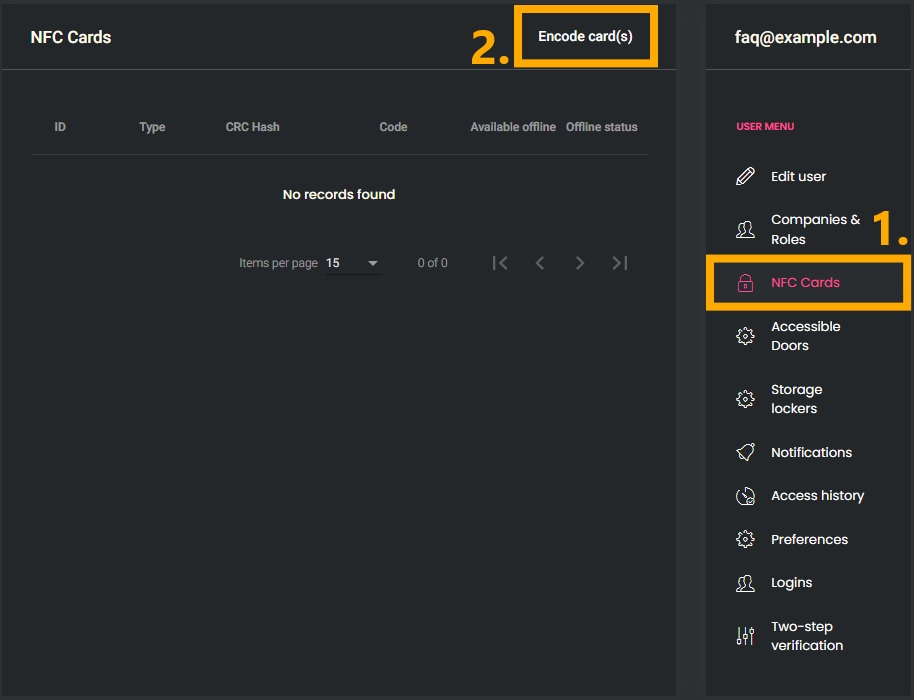
- In the “USER MENU” on the right, select the “NFC Cards” menu item.
- Click the “Encode card(s)” button to open the window for selecting the encoding settings.

3. Encoding Settings
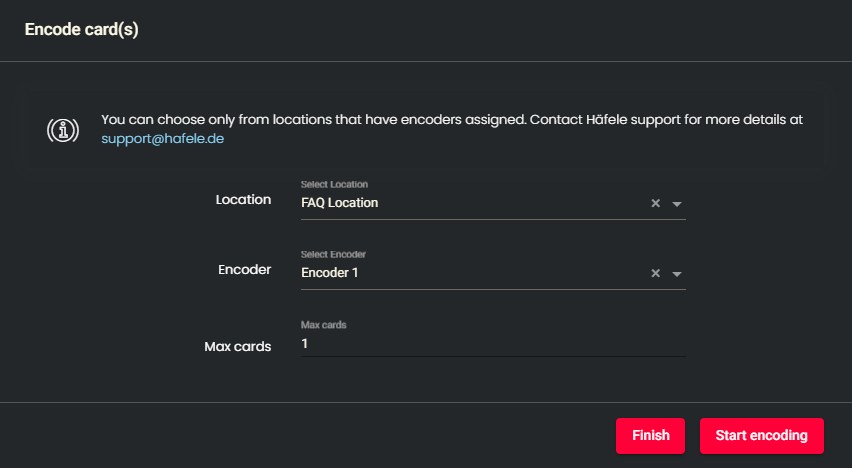
- Select the desired encoder.
- Select the number of keys to encode.
- Click the “Start encoding” button to send the encoding request to the encoder.

4. Encoding process
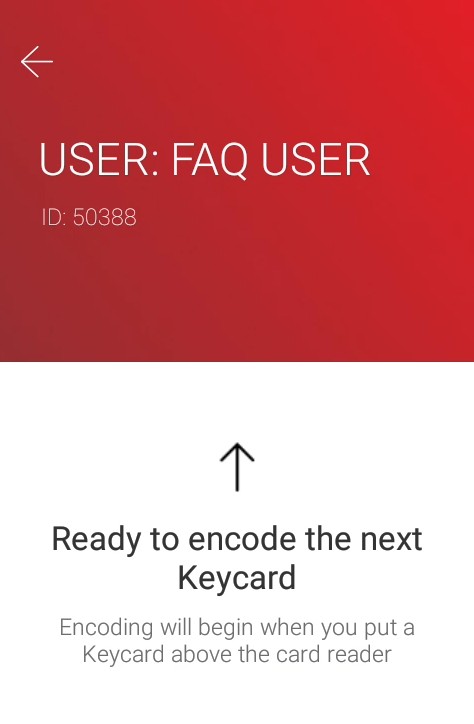
IMPORTANT! The following steps are all performed on the previously selected encoder!
- Open the encoder app on the previously selected encoder.
- If you are prompted to log in, follow our instructions for logging into the encoder.
- Place the desired key on the encoder's reader to perform the encoding process.

5. Success
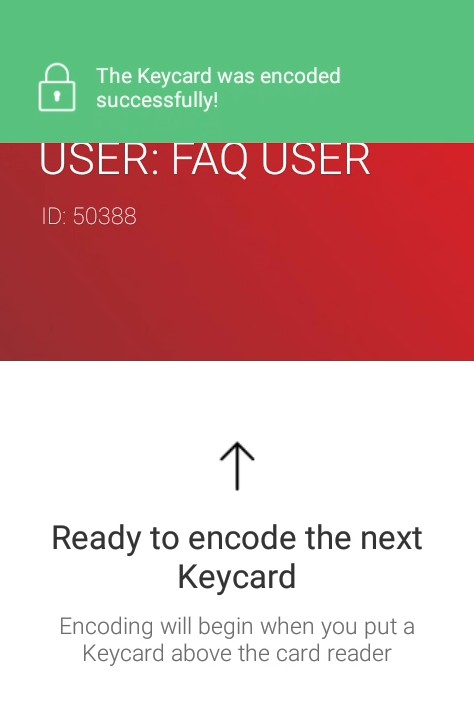
- The encoder confirms successful encoding with a success message.
- If more than one key was selected for encoding, place the next key on the encoder's reader.
