Instructions
An emergency key is a standard staff key that has been assigned the corresponding access right to the guest's room number (individual access right).

Schritt 1 - Create person
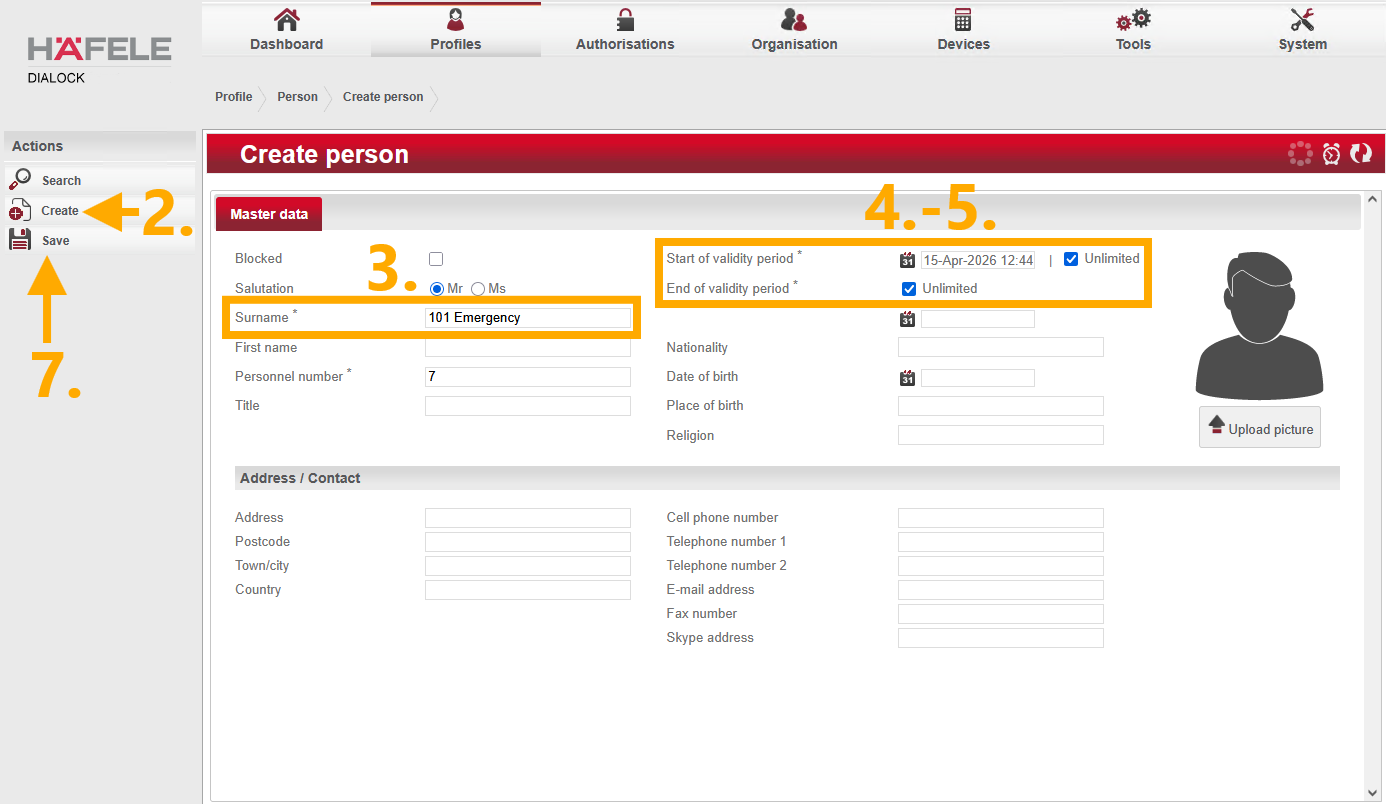
- Navigate to “Profiles”>“People”.
- Select “Create” from the Actions menu on the left.
- Assign the person an appropriate name that includes the corresponding room number (e.g., 101 Emergency).
- Set the “Start of validity period” to unlimited.
- Set the “End of validity period” to unlimited.
- Remember the personnel number. (Assigned automatically by the system)
- Save the information using the Actions menu on the left.

Schritt 2 - Access rights
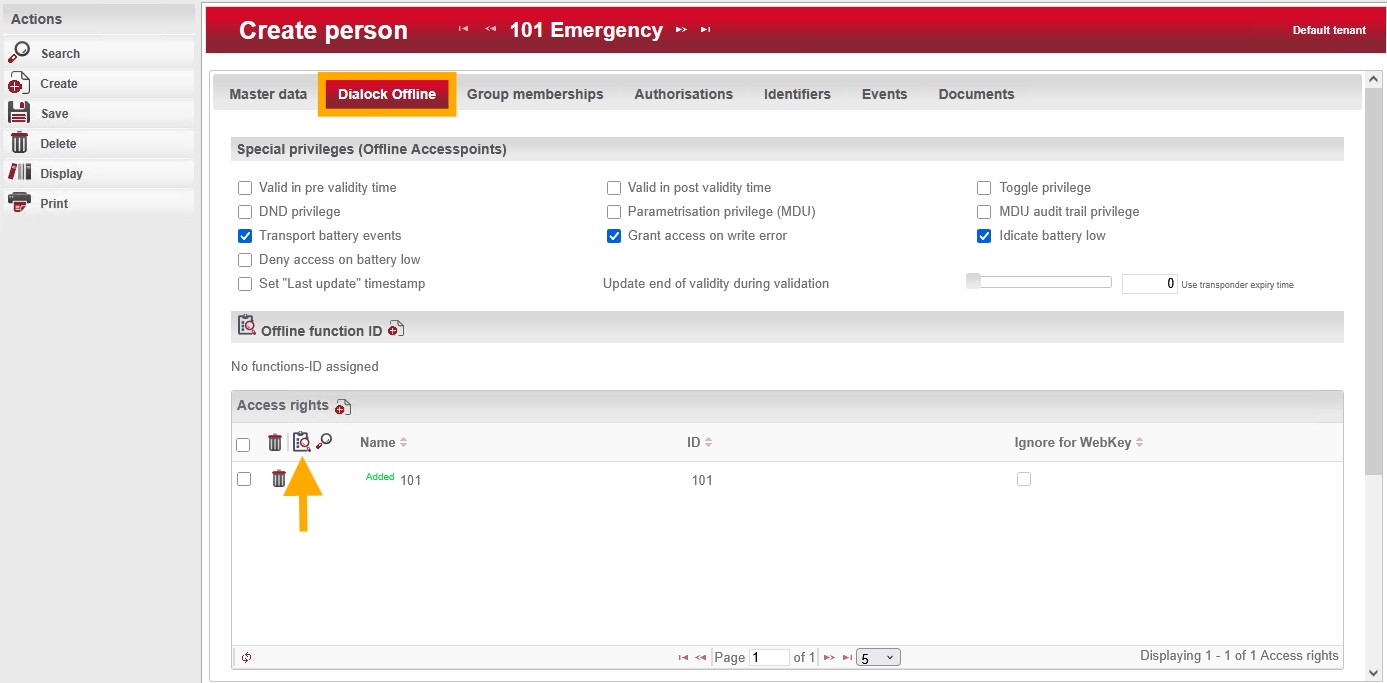
- Navigate to “Dialock offline”.
- In the “Access Rights” section, click on the clipboard with the magnifying glass.

Schritt 3 - Assign individual access rights
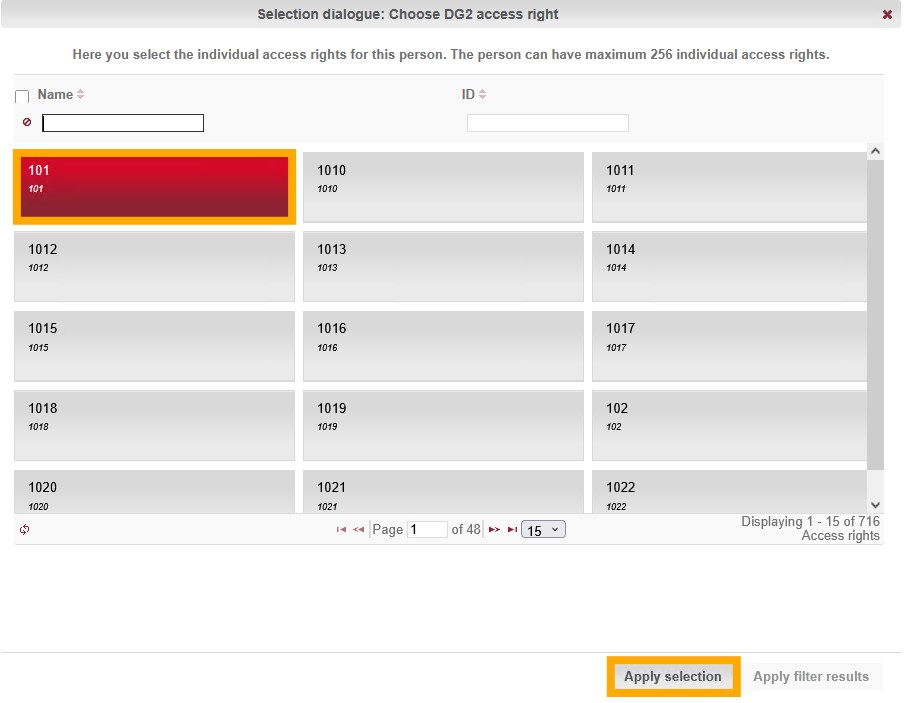
- Select the access rights for the desired room number from the list.
- Confirm your selection and save the person's information again.

Schritt 4 - Identifiers
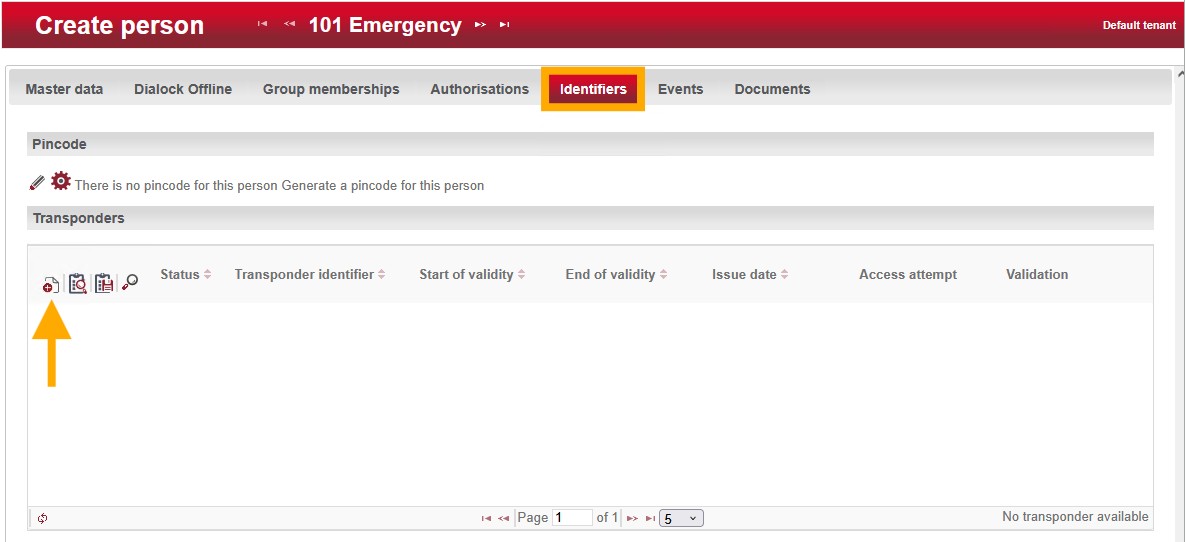
- Navigate to “Identifiers”.
- In the “Transponder” section, click the plus icon.

Schritt 5 - Create transponder
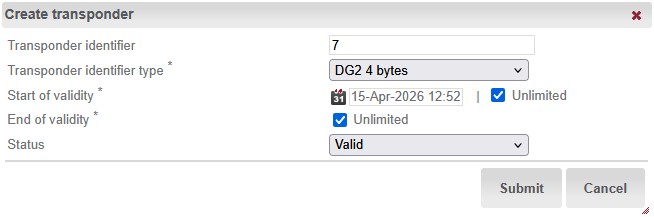
- Enter the personnel number you have memorized as the transponder identifier.
- Set the “Start of validity” to “Unlimited.”
- Leave the “End of validity” set to “Unlimited.”
- Submit the settings and click “Save.”

Schritt 6 - Encoding
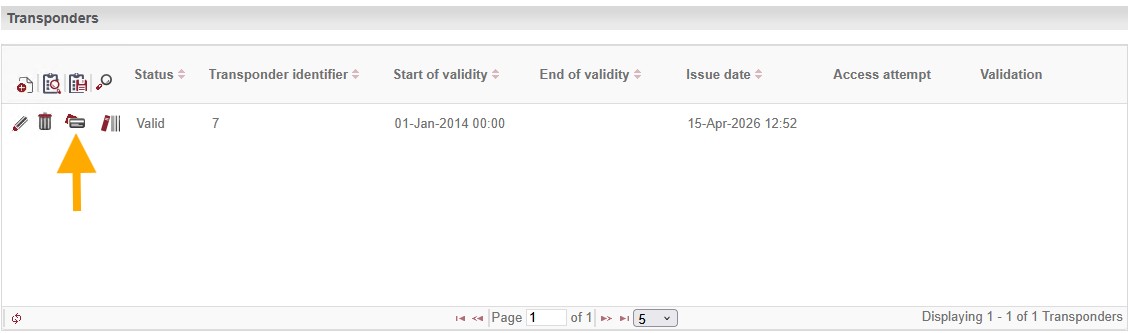
- Tap the “credit card icon” in the row for the newly created transponder and follow the on-screen instructions.
- The new emergency transponder has now been created.
